Stronger first impressions
Present every video with a clear, polished visual that gives viewers an immediate reason to stop and look.
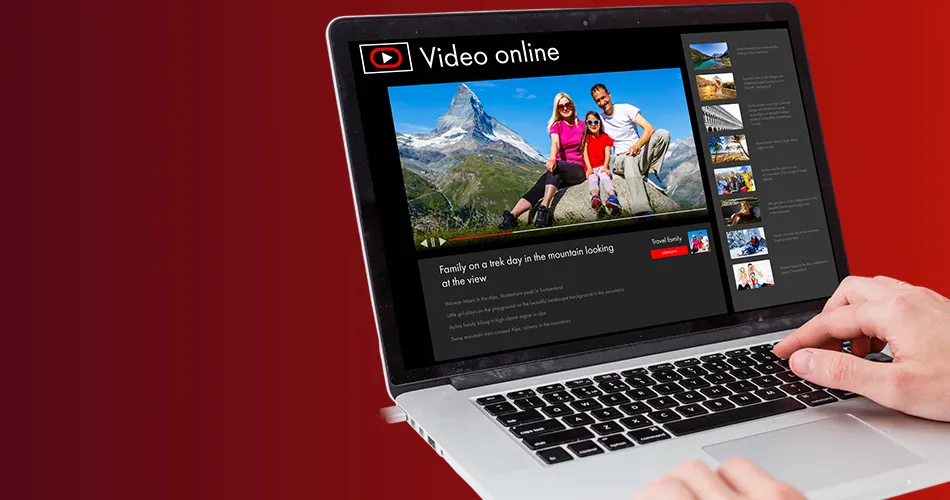
Turn every upload into a stronger first impression with thumbnails designed for clarity, channel consistency and the way viewers make fast decisions.
Enquire NowOverview
A YouTube thumbnail has only a moment to communicate the video’s promise. BrainADZ combines content understanding, visual hierarchy, image treatment, typography and channel consistency to create thumbnails that are clear, relevant and built for real viewing conditions.
Enquire Now
Present every video with a clear, polished visual that gives viewers an immediate reason to stop and look.
Use one focused visual promise so viewers quickly understand the subject, benefit or story behind the video.
Build recognizable thumbnail patterns that connect different videos without making every upload look identical.
Work with repeatable layouts, organized source files and clear approval stages to keep the upload schedule moving.
Thumbnail Services
Every format needs a different balance of subject, message, brand treatment and visual intensity. The design direction is shaped around the actual content rather than a one-template-fits-all style.
High-impact thumbnails for interviews, explainers, reviews, educational videos, product content and branded episodes.
Vertical-first cover designs that improve the presentation of Shorts across channel pages, playlists and shared links.
Professional layouts that organize hosts, guests, episode themes and recognizable show branding without visual clutter.
Product-focused visuals for demonstrations, comparisons, unboxings, buying guides and feature-led video content.
Structured designs that make the learning outcome, problem or transformation easy to understand at a glance.
Alternative visual directions for priority videos, testing plans or channels that need multiple hooks around one topic.
Click Strategy
A thumbnail should create interest without misrepresenting the content. The strongest direction makes the video’s value easy to understand while leaving enough curiosity for the title and video to complete the story.
Enquire NowDefine the one idea the thumbnail must communicate: a result, problem, reveal, comparison, opinion or useful outcome.
Make the title and thumbnail work together instead of repeating the same words, so each contributes new information.
Prioritize the main subject, supporting context and optional text so the message remains understandable in a small preview.
Use scale, spacing, expression, lighting, color separation and background control to make the key subject easy to notice.
Apply recognizable brand cues, typography and recurring design logic while allowing each video to retain its own story.
Content Types
Different niches create interest in different ways. A technical tutorial, podcast, product review and founder video should not use the same visual logic simply because they appear on YouTube.
Credible, clean thumbnails for industry insights, founder content, company updates, webinars and thought leadership.
Outcome-led thumbnails that make the lesson, skill, process or problem clear before the viewer opens the video.
Focused product visuals for buyers comparing options, exploring features or evaluating practical value.
Expressive, story-led thumbnails for podcasts, interviews, reactions, entertainment formats and recurring episodes.
Title + Thumbnail System
The best relationship is complementary. Viewers should gain more meaning from seeing the title and thumbnail together than from reading either one alone.
The title can explain the topic while the thumbnail communicates the result, emotion, tension or strongest proof point.
Avoid combining too many subjects, messages and decorative elements that compete for attention in a small preview.
Thumbnail text should add meaning quickly. It should not become a compressed version of the complete video title.
Every composition is checked at mobile-preview scale so the main subject and message remain clear outside the design canvas.
Process
The workflow keeps the design grounded in the actual video while giving enough structure for recurring uploads, fast approvals and organized creative delivery.
Enquire NowWe review the topic, title direction, target viewer, video goal, source images, brand references and publishing deadline.
We identify the clearest visual promise and decide which subject, product, expression, result or contrast should lead the design.
The selected concept is developed with subject treatment, background control, typography, color and brand styling.
We reduce visual noise, strengthen hierarchy and test whether the thumbnail remains understandable at realistic preview sizes.
Feedback is applied against the agreed direction while protecting the message, readability and visual consistency of the design.
Final files are exported in the required dimensions and organized clearly for upload, archive and future series development.
Thumbnail Quality
A thumbnail can look impressive on a large design canvas and still fail in the YouTube interface. Every asset is reviewed for realistic preview scale, subject clarity, visual balance and technical output.
The subject, contrast and optional text are checked at realistic mobile and desktop thumbnail sizes before delivery.
Cut-outs, edges, lighting, shadows and image enhancement are refined so the central subject feels intentional and credible.
Typography, colors and recurring graphic cues are controlled so the channel develops a recognizable visual identity over time.
Dimensions, file format, file size, safe composition and naming are reviewed before the final upload-ready asset is shared.
The design starts with the viewer, topic and click promise rather than adding effects without a clear communication purpose.
Each thumbnail reflects the actual video story, format and audience instead of forcing unrelated templates onto every upload.
We can create one-off priority thumbnails or establish a consistent production system for recurring video series.
Versions, final exports and editable assets can be structured clearly so internal teams can publish and reuse them efficiently.
Selected Work
Replace the temporary portfolio paths below with actual YouTube thumbnail projects, preferably showing different content niches and repeatable channel systems.
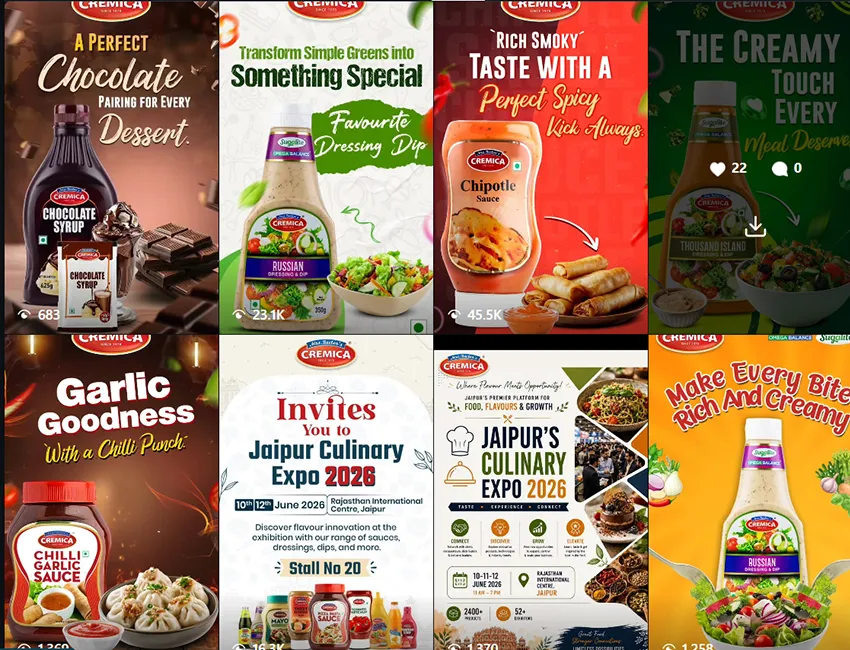
YouTube Education

Product Content
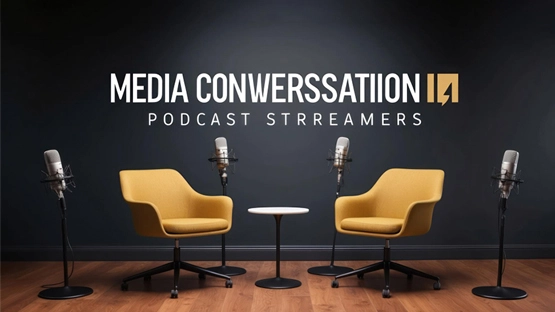
Podcast Content
FAQs
Practical details about source images, Shorts covers, variations, title alignment, channel systems and editable file delivery.
Enquire NowWe usually need the video topic, working title, target audience, key message, preferred visual direction, brand references and the best available images or video stills. When the title is not final, we can still design around the strongest content promise.
Yes. We can work with supplied photographs, video stills, product images, screenshots and suitable brand assets. The final result depends on the quality and relevance of the source material, so we identify any limitations before production.
Yes. We can design vertical cover assets for Shorts and recurring short-form series. The composition is adapted for the 9:16 format and checked for safe placement across channel and mobile views.
Yes. Multiple directions can be scoped for important uploads, campaigns or structured testing. Variants may explore different hooks, subject images, text treatments, background approaches or compositions while staying aligned with the same video.
Yes. We review the relationship between the title and visual so they complement one another. The thumbnail should add a fast visual promise rather than simply repeating the complete title as text.
Yes. We can define typography, colors, layout logic, image treatment, recurring labels and series-specific rules to make the channel recognizable while keeping enough variation between individual videos.
Editable files can be included when agreed in the project scope. We also provide final upload-ready exports and can organize templates or series files for teams that publish content regularly.
Turnaround depends on the volume, source material, number of concepts and review cycle. Recurring thumbnail workflows can usually move faster once the channel style, approval process and asset system are established.
Get a clear roadmap for campaigns, creative, website, SEO, and performance before you scale your next project.