SEO Tools
15 Best Free SEO Tools for Website Optimization in 2026

Want to improve your website's Google rankings without spending money on expensive SEO software?
You don't always need paid tools to get started.
Several free SEO tools can help you discover keywords, identify technical issues, analyze organic traffic, improve website speed, and understand your competitors.
Whether you're managing a business website, starting a blog, or working as an SEO professional, the right tools can make optimization easier.
In this guide, we'll explore 15 of the best free SEO tools in 2026, explain their features, limitations, and use cases, and show you how to combine them to improve your website's organic search performance.
What Are Free SEO Tools?
Free SEO tools are software applications or online platforms that help website owners improve their search engine visibility without requiring a paid subscription for their basic functionality.
Some tools are completely free, while others provide limited free versions alongside paid plans.
They can help with different SEO tasks, including:
- Keyword research and search trends
- Website indexing and crawling
- Technical SEO audits
- Backlink analysis
- Page speed optimization
- Search performance tracking
- Local SEO
- Website traffic analysis
For example, Google Search Console can identify queries already generating impressions, while PageSpeed Insights can highlight performance issues affecting the user experience.
Together, these tools provide a practical starting point for improving organic traffic.
15 Best Free SEO Tools in 2026: Quick Comparison
Before exploring each tool, here's a quick comparison.
SEO Tool | Best For | Free Availability |
Google Search Console | Organic search performance | Free |
Google Trends | Trending topics and search interest | Free |
Google Keyword Planner | Keyword ideas and forecasts | Free with Google Ads access |
Bing Webmaster Tools | Bing SEO and keyword research | Free |
Ahrefs Free | Technical audits and verified-site SEO data | Limited free plan |
Screaming Frog SEO Spider | Technical website crawling | Free for up to 500 URLs per crawl |
Google PageSpeed Insights | Page speed and Core Web Vitals | Free |
Chrome Lighthouse | Performance and technical quality audits | Free |
Google Rich Results Test | Structured data testing | Free |
Google Analytics 4 | Website traffic and conversions | Free standard version |
Microsoft Clarity | User behavior analysis | Free |
Looker Studio | SEO reporting dashboards | Free core service |
Google Business Profile | Local business visibility | Free |
Google Autocomplete | Long-tail keyword discovery | Free |
Semrush | Limited keyword and competitor research | Limited free access |
Some tools require an account or website verification. Free plan limits can change over time.
1. Google Search Console — Best Free SEO Tool for Organic Traffic
Best for: Tracking organic clicks, impressions, indexing, and search performance.
Google Search Console is one of the most important free SEO tools for website owners.
It provides first-party information about how your website performs in Google Search.
Key Features
- Monitor organic search clicks.
- Check search impressions.
- Analyze average click-through rate.
- Review average search position.
- Find search queries bringing visibility.
- Identify indexing problems.
- Submit XML sitemaps.
- Inspect individual URLs.
How to Use Google Search Console for SEO
Start by opening the Performance report.
Look for keywords that generate many impressions but relatively few clicks.
For example, if a page receives 2,000 impressions for a relevant query but only 15 clicks, investigate whether its title and content satisfy the search intent.
Review the actual search results before changing anything.
You can also identify pages with good rankings that need content improvements or stronger internal links.
Free Limitations
Google Search Console is free, although available reporting dimensions, retention periods, and data limits apply. It does not provide a complete competitor keyword database.
Website: https://search.google.com/search-console/
2. Google Trends — Best Free Tool for Trending Keyword Research
Best for: Discovering search trends, seasonality, and emerging topics.
Google Trends helps you understand how interest in a search term changes over time.
It's useful for planning blog content around topics that people are increasingly interested in.
Key Features
- Compare search terms.
- Explore interest over time.
- Review geographic interest.
- Discover related topics.
- Identify rising queries.
- Understand seasonal demand.
How to Use Google Trends
Suppose you're planning an article about AI search optimization.
You could compare terms such as:
- AI SEO
- Answer Engine Optimization
- Generative Engine Optimization
- AI search optimization
Review how interest differs by location and timeframe.
Use the results to identify topics worth investigating further.
Free Limitations
Google Trends displays normalized search interest rather than exact monthly search volume.
A value of 100 represents peak relative interest within the selected comparison, not 100 searches.
Website: https://trends.google.com/
3. Google Keyword Planner — Best Free Keyword Research Tool for Search Ideas
Best for: Discovering keyword ideas and exploring advertising search demand.
Google Keyword Planner is part of Google Ads.
Although primarily designed for advertising campaigns, it can also support SEO keyword research.
Key Features
- Generate related keyword ideas.
- Explore historical search-volume estimates.
- Compare geographic demand.
- Review keyword trends.
- Organize related keyword groups.
How to Use Google Keyword Planner
Enter a broad keyword such as "digital marketing services."
Review related suggestions and identify relevant topics.
For an Indian service business, adjust the location to India or a relevant region.
Build a list of commercial and informational keywords.
Then check the organic search results to understand actual ranking competition.
Free Limitations
You need Google Ads access. Search-volume precision may be restricted, and some accounts see broad ranges.
The competition metric is for advertising, not organic SEO keyword difficulty.
Website: https://ads.google.com/home/tools/keyword-planner/
4. Bing Webmaster Tools — Best Free Alternative to Google Search Console
Best for: Bing search performance, technical SEO, and keyword research.
Bing Webmaster Tools is a free platform for monitoring website visibility in Bing Search.
It can complement Google Search Console by providing another search engine's data.
Key Features
- Search performance reports.
- URL inspection.
- Sitemap submission.
- Keyword research.
- Website inspection tools.
- Technical SEO recommendations.
- Indexing insights.
How to Use Bing Webmaster Tools
Verify your website and review its search performance.
Use the Keyword Research feature to discover related phrases and question-based searches.
For example, enter "SEO tools" and explore relevant variations.
You can filter keyword research by country, language, and device.
Free Limitations
Its keyword and performance data primarily reflect Bing's ecosystem, not Google's search volume.
Website: https://www.bing.com/webmasters/
5. Ahrefs Free — Best for Website Audits and Backlink Insights
Best for: Auditing websites you own and analyzing technical SEO issues.
Ahrefs offers free functionality for verified websites.
Its former Ahrefs Webmaster Tools offering is now presented as Ahrefs Free.
Key Features
- Technical website audits.
- SEO issue detection.
- Backlink insights.
- Organic keyword information.
- Website analytics.
- Basic SEO research workflows.
How to Use Ahrefs Free
Verify your website ownership.
Run a site audit and review technical problems such as:
- Broken internal links
- Missing or duplicate titles
- Redirect issues
- Indexability problems
- Other on-page SEO warnings
Prioritize problems affecting important pages.
Free Limitations
Ahrefs Free has account-specific feature restrictions.
Its current documented free offering includes up to 5,000 Site Audit crawl credits per project per month and limited Site Explorer visibility for verified properties.
Advanced research functionality may require a paid plan.
Website: https://ahrefs.com/webmaster-tools
6. Screaming Frog SEO Spider — Best Free Technical SEO Audit Tool
Best for: Crawling websites and identifying technical SEO issues.
Screaming Frog SEO Spider is a desktop website crawler used by SEO professionals.
It helps identify common technical problems that may be difficult to discover manually.
Key Features
- Detect broken links.
- Review HTTP status codes.
- Analyze page titles.
- Check meta descriptions.
- Review heading structure.
- Inspect canonical information.
- Identify redirect issues.
How to Use Screaming Frog
Download the application and enter your website URL.
Start a crawl, then review important reports.
For example, filter pages returning 404 errors.
Check whether those URLs are linked internally and fix outdated links.
You can also review missing or duplicate page titles.
Free Limitations
The free version crawls up to 500 URLs per crawl.
Advanced features such as JavaScript rendering, crawl comparison, and certain integrations require a paid licence.
Website: https://www.screamingfrog.co.uk/seo-spider/
7. Google PageSpeed Insights — Best Free Website Speed Checker
Best for: Analyzing loading performance and Core Web Vitals.
PageSpeed Insights helps website owners investigate page experience and performance issues.
It provides both lab-based diagnostics and available real-user performance data.
Key Features
- Mobile and desktop performance analysis.
- Largest Contentful Paint (LCP).
- Interaction to Next Paint (INP).
- Cumulative Layout Shift (CLS).
- JavaScript and rendering diagnostics.
- Image and loading recommendations.
How to Use PageSpeed Insights
Enter your website URL and review the mobile results.
Pay particular attention to Core Web Vitals and the issues that affect real users.
For example, large unoptimized images may delay the main content from loading.
Fix the underlying issue and test the page again.
Free Limitations
Results can vary between tests, and field data may not be available for every URL.
A high performance score does not automatically guarantee better Google rankings.
Website: https://pagespeed.web.dev/
8. Chrome Lighthouse — Best Free Tool for Technical Performance Audits
Best for: Detailed page-level performance and technical quality testing.
Lighthouse is an open-source auditing tool available through Chrome DevTools.
It can help developers and SEO professionals investigate website problems.
Key Features
- Performance audits.
- Accessibility checks.
- SEO best-practice checks.
- Diagnostic recommendations.
- Page experience testing.
How to Use Lighthouse
Open a webpage in Google Chrome.
Open DevTools, select Lighthouse, choose the audit categories, and generate a report.
Review issues that may affect accessibility or performance.
For example, Lighthouse may identify image sizing problems or JavaScript that delays rendering.
Free Limitations
Lighthouse is a page-level diagnostic tool, not a complete search ranking or traffic analysis platform.
Its SEO category covers selected checks and cannot replace a full technical SEO audit.
Website: https://developer.chrome.com/docs/lighthouse/
9. Google Rich Results Test — Best Free Structured Data Checker

Best for: Testing eligibility for supported Google rich results.
Structured data helps describe certain types of webpage information.
Google's Rich Results Test checks whether supported markup can qualify for rich-result features.
Key Features
- Test live page URLs.
- Validate supported structured data types.
- Detect markup errors.
- Inspect eligible rich-result features.
- Test structured data code.
How to Use the Rich Results Test
Enter your article or service page URL.
Run the test and review the detected structured data.
For an eligible article, check whether relevant properties are implemented correctly.
Resolve genuine errors and ensure the markup matches the visible content.
Free Limitations
Passing the Rich Results Test does not guarantee rich-result visibility.
The tool tests Google's supported rich-result features, not every schema.org type.
Website: https://search.google.com/test/rich-results
10. Google Analytics 4 — Best Free Website Traffic Analytics Tool

Best for: Measuring website visitors, engagement, and conversions.
Google Analytics 4 helps website owners understand how people interact with their website after arriving.
It complements Search Console by connecting traffic with user behavior.
Key Features
- Organic traffic reporting.
- Landing page analysis.
- Engagement measurement.
- Event tracking.
- Key event reporting.
- Traffic acquisition analysis.
- Ecommerce measurement.
How to Use GA4 for SEO
Open the Traffic Acquisition report.
Filter or segment relevant organic search traffic.
Identify which landing pages attract engaged visitors and generate enquiries or purchases.
Compare these results with Search Console data to understand how search visibility translates into website outcomes.
Free Limitations
GA4 and Search Console use different measurement methods, so numbers may not match exactly.
Accurate tracking depends on implementation and consent requirements.
Website: https://analytics.google.com/
11. Microsoft Clarity — Best Free User Behavior Analytics Tool
Best for: Understanding how visitors interact with website pages.
Microsoft Clarity is a behavioral analytics tool that provides information about user interactions.
It can help you identify frustrating website experiences that may reduce conversions.
Key Features
- Session recordings.
- Heatmaps.
- Interaction analysis.
- Navigation behavior insights.
- User experience diagnostics.
How to Use Microsoft Clarity
Install the tracking code on your website.
Review sessions for important landing pages.
For example, if users reach a service page but rarely interact with its enquiry button, review the layout, content clarity, and mobile experience.
Use the findings to improve usability.
Free Limitations
Clarity is not a keyword ranking tool and does not directly measure search engine positions.
Configure privacy and consent settings appropriately.
Website: https://clarity.microsoft.com/
12. Looker Studio — Best Free SEO Reporting Dashboard Tool
Best for: Combining SEO performance data into visual dashboards.
Looker Studio helps marketers create reports from multiple sources.
It is especially useful for agencies and SEO professionals managing recurring performance reporting.
Key Features
- Custom SEO dashboards.
- Search Console connections.
- GA4 reporting.
- Data visualization.
- Filters and date comparisons.
- Shareable reports.
How to Use Looker Studio
Connect your Google Search Console and Google Analytics data sources.
Create charts for:
- Organic clicks
- Search impressions
- Organic sessions
- Landing page engagement
- Lead conversions
Use the dashboard to monitor SEO results over time.
Free Limitations
Looker Studio's core service is free, but some third-party connectors and advanced services require payment.
Report accuracy depends on the connected data sources.
Website: https://lookerstudio.google.com/
13. Google Business Profile — Best Free Local SEO Tool
Best for: Improving business visibility across Google Search and Maps.
Google Business Profile allows eligible businesses to manage how their business information appears on Google.
It's especially useful for businesses serving customers in specific locations.
Key Features
- Business profile management.
- Address or service-area details.
- Opening hours.
- Photos and business updates.
- Customer reviews.
- Business performance insights.
How to Use Google Business Profile
Claim and verify your eligible business.
Ensure your business name, primary category, contact details, and operating information are accurate.
Add relevant photos and keep your profile updated.
Respond professionally to genuine customer reviews.
Free Limitations
Only eligible businesses can create profiles.
A Business Profile does not guarantee a top position in Google Maps, and it cannot replace strong website SEO.
Website: https://www.google.com/business/
14. Google Autocomplete — Best Free Tool for Long-Tail Keyword Ideas
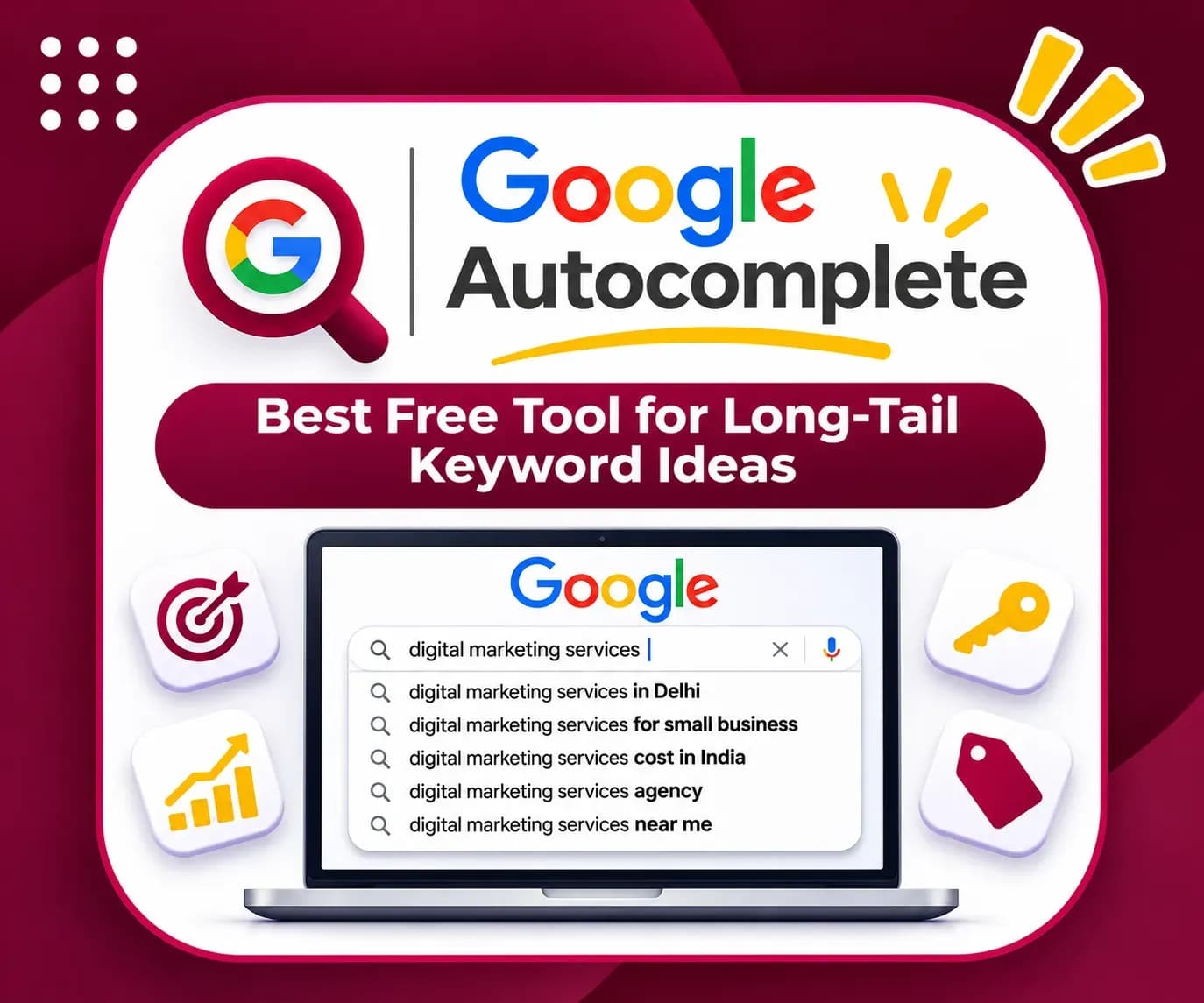
Best for: Discovering natural-language search variations.
Google Autocomplete suggests queries while users type in the search box.
These suggestions can help marketers identify how people phrase their searches.
Key Features
- Long-tail keyword ideas.
- Question-based query discovery.
- Search intent inspiration.
- Content topic brainstorming.
How to Use Google Autocomplete
Start typing a broad query such as:
"how to improve website SEO"
Review the suggestions that appear.
Try variations including:
- How to improve website SEO for beginners
- How to improve website SEO without paid tools
- How to improve website SEO for small businesses
Use suitable suggestions as research starting points and validate them through other tools.
Free Limitations
Autocomplete suggestions are dynamic.
They are not a source of exact search-volume data and may vary by location, language, and context.
Website: https://www.google.com/
15. Semrush — Best Limited Free SEO Research Platform
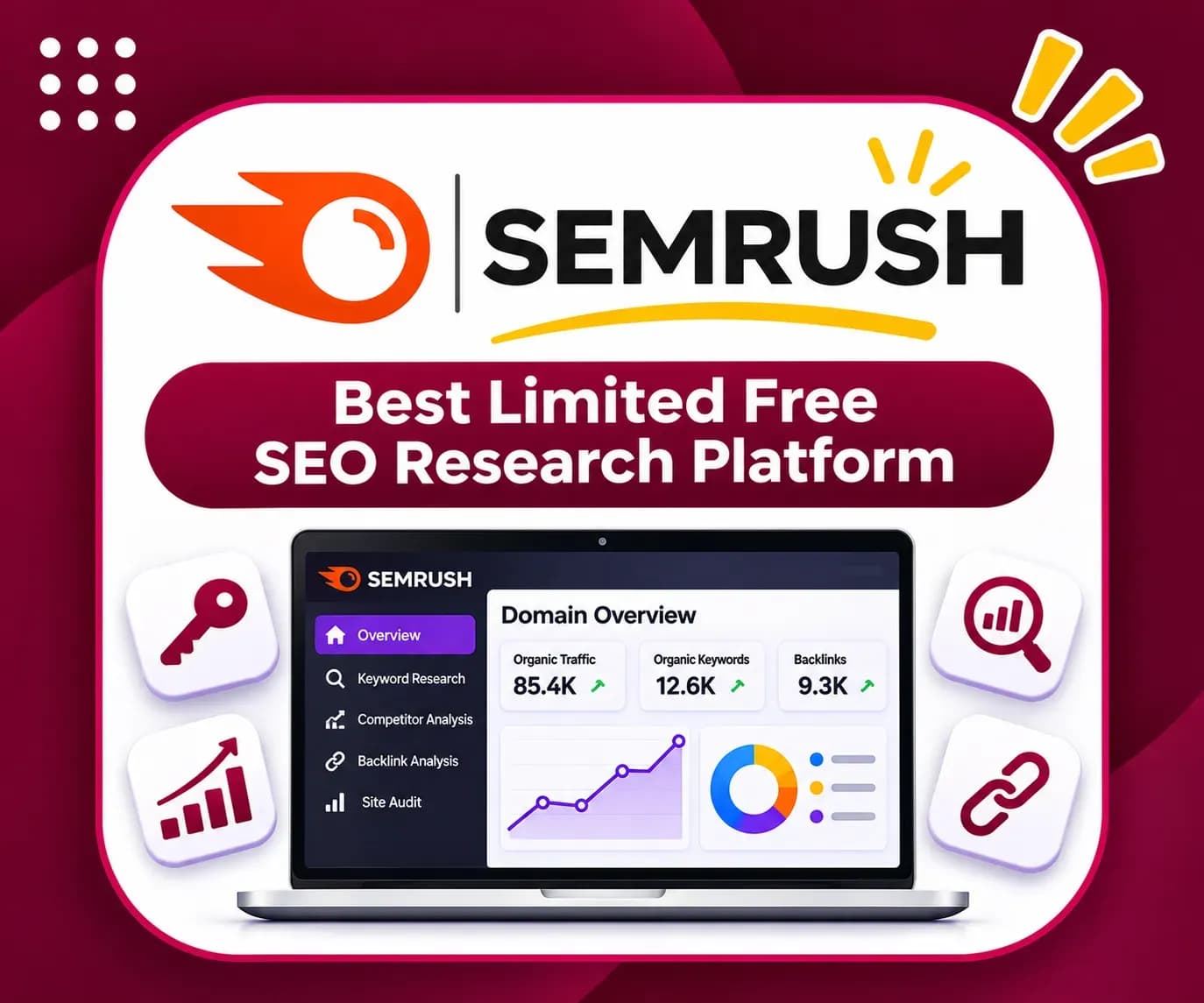
Best for: Exploring keyword, domain, and competitive SEO data with restricted free access.
Semrush offers a broad collection of SEO and marketing research tools.
Some functionality can be accessed with a free account, although usage and feature restrictions apply.
Key Features
Depending on current account access, available features may include:
- Keyword research.
- Domain research.
- Competitor analysis.
- Search visibility insights.
- Limited technical SEO functionality.
How to Use Semrush
Research a topic such as "free SEO tools."
Review available keyword or competitor information within your account limits.
Compare relevant keywords, inspect competing pages, and identify content gaps.
Use your own Search Console data to decide which opportunities are most relevant.
Free Limitations
Free usage is restricted. Specific quotas, available databases, and feature access can change.
Advanced research and reporting typically require a paid subscription.
Website: https://www.semrush.com/
Which Free SEO Tool Is Best for Beginners?
If you're starting SEO for the first time, you don't need all 15 tools immediately.
Start with these five:
- Google Search Console — Understand how your website appears in Google Search.
- Google Trends — Find topics with relevant or rising search interest.
- Google PageSpeed Insights — Identify important page performance problems.
- Google Analytics 4 — Measure traffic and website engagement.
- Google Autocomplete — Explore natural search questions and keyword variations.
Once you're comfortable with these tools, introduce more advanced technical auditing and competitor research.
Best Free SEO Tools by Use Case
SEO Task | Recommended Tools |
Keyword research | Google Keyword Planner, Google Trends, Bing Webmaster Tools |
Long-tail keyword discovery | Google Autocomplete, Bing Keyword Research |
Technical SEO | Screaming Frog, Ahrefs Free |
Indexing problems | Google Search Console, Bing Webmaster Tools |
Website speed | PageSpeed Insights, Lighthouse |
Structured data | Google Rich Results Test |
Organic traffic analysis | Search Console, GA4 |
User behavior | Microsoft Clarity |
SEO reporting | Looker Studio |
Local SEO | Google Business Profile |
Competitor research | Semrush, accessible Ahrefs features |
How to Use Free SEO Tools to Increase Organic Traffic
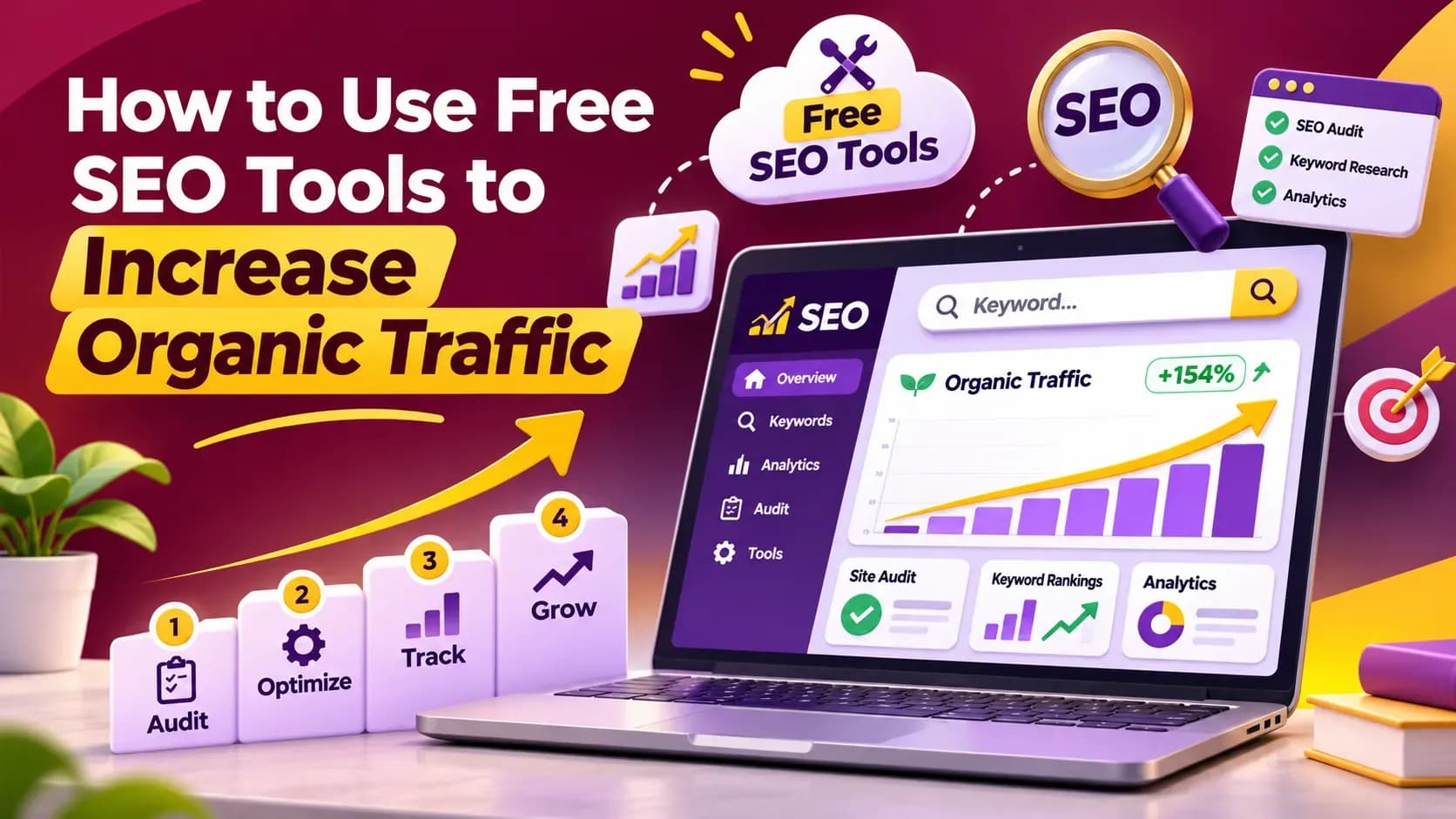
Finding SEO tools is easy. Using them correctly is what matters.
Here's a practical workflow for improving website traffic without relying entirely on paid software.
Step 1: Check Existing Search Performance
Start with Google Search Console.
Identify:
- Pages with high impressions and low clicks.
- Queries appearing just outside strong ranking positions.
- Pages losing search visibility.
- Important URLs with indexing problems.
Prioritize pages with demonstrated search demand.
Step 2: Discover Relevant Keywords
Use Google Trends, Keyword Planner, Bing Keyword Research, and Autocomplete.
Look for keywords that match your audience's interests and your website's expertise.
For example, a digital marketing business might research:
- How to improve organic traffic
- Free keyword research tools
- Technical SEO checklist
- Why a website is not appearing on Google
- How to fix indexing issues
Evaluate search intent and existing competition before choosing a topic.
Step 3: Audit Your Website
Use Screaming Frog and Ahrefs Free.
Check important technical issues such as:
- Broken links.
- Duplicate or missing page titles.
- Redirect errors.
- Indexability problems.
- Internal linking weaknesses.
Prioritize issues that affect valuable pages rather than attempting to fix every low-impact warning.
Step 4: Improve Existing Content
Review pages receiving impressions but insufficient clicks.
Consider whether the page needs:
- A clearer introduction.
- More accurate information.
- Original examples.
- Better heading structure.
- Stronger internal links.
- Updated explanations.
- A more relevant page title.
Avoid changing titles solely to increase keyword repetition.
Step 5: Improve Website Performance
Use PageSpeed Insights and Lighthouse.
Investigate performance problems affecting real users.
Optimize large images, reduce unnecessary JavaScript, and improve loading stability where appropriate.
Recheck results after implementing changes.
Step 6: Measure Traffic and Conversions
Use Google Analytics 4 and Search Console together.
Track organic search performance and what visitors do after reaching your website.
For business websites, meaningful outcomes include:
- Qualified enquiry submissions.
- Relevant phone calls.
- Product enquiries.
- Demo requests.
- Sales or transactions.
Traffic growth should ideally support business growth.
Step 7: Review Results Regularly
Use Looker Studio or a simple reporting sheet to monitor progress.
Track improvements week by week.
Some pages may respond quickly to technical fixes or content updates, while new pages can take longer to gain visibility.
Avoid expecting guaranteed rankings within a fixed timeframe.
Also, Read: 10 Best AEO Tools We’re Using to Grow AI Search Visibility in 2026
Free SEO Tools vs Paid SEO Tools: Which Should You Choose?
Free tools can be enough for many small websites, beginners, and businesses with limited budgets.
However, paid tools may provide greater convenience and more extensive datasets.
Feature | Free SEO Tools | Paid SEO Tools |
Keyword research | Available, with varying limits | Usually broader datasets |
Technical auditing | Basic to substantial coverage | More scale and advanced features |
Backlink analysis | Limited or property-specific | More extensive research |
Competitor research | Often restricted | Typically more detailed |
Reporting | Strong free options available | Additional automation and integrations |
Cost | Free or limited free access | Subscription fees |
Start with the capabilities you genuinely need.
Upgrade only when the additional data, scale, or workflow efficiency justifies the cost.
Common Mistakes When Using Free SEO Tools
1. Focusing Only on Keyword Volume
A high-volume keyword is not automatically the right target.
Search intent, relevance, competition, and conversion potential matter too.
2. Ignoring Search Console Data
Third-party estimates can be useful, but your actual website search data should influence your priorities.
3. Treating Every Audit Warning as Critical
Not every technical warning causes meaningful search performance problems.
Investigate severity and business impact before making changes.
4. Publishing Too Much Repetitive Content
More articles don't automatically mean more visitors.
Create unique resources that solve real problems.
5. Expecting Instant Rankings
Google rankings can take time to change.
SEO outcomes depend on competition, content quality, technical conditions, and numerous search factors.
6. Tracking Visitors Without Measuring Leads
A website may attract significant traffic but generate little business.
Monitor both search visibility and meaningful user actions.
Conclusion: Start Improving SEO With Free Tools
You don't need an expensive software subscription to begin improving your website's search visibility.
The best free SEO tools can help you identify keyword opportunities, resolve technical problems, understand website traffic, and make smarter optimization decisions.
Start with Google Search Console, Google Trends, PageSpeed Insights, and Google Analytics 4.
Add more specialized tools as your SEO requirements grow.
The key is to turn research and audit findings into useful website improvements.
Also, Read: 7 Best People Also Ask Tools for SEO & Keyword Research in 2026
Need Help Improving Your Website's Organic Traffic?
At BrainADZ Marketing, we help businesses improve search visibility through technical SEO, keyword research, website audits, content optimization, and search-focused digital marketing strategies.
Whether you're starting a new website or trying to grow an established one, a structured SEO strategy can help you identify the right opportunities.
Explore BrainADZ Marketing's SEO services and start building a stronger organic search presence.
Frequently Asked Questions About Free SEO Tools
What are the best free SEO tools in 2026?+
Google Search Console, Google Trends, Google Keyword Planner, Bing Webmaster Tools, Ahrefs Free, and Screaming Frog are useful options. The best choice depends on whether you need keyword research, technical auditing, search reporting, or other SEO capabilities.
Can I do SEO without paid tools?+
Yes. Many essential SEO activities can be performed using free tools. However, free plans may limit research depth, reporting, or crawl capacity.
Which is the best free SEO tool for keyword research?+
Google Keyword Planner, Google Trends, Bing Webmaster Tools, and Google Autocomplete can help discover relevant search terms. Each provides different types of data.
Is Google Search Console completely free?+
Yes. Google Search Console is a free service that helps website owners monitor performance, indexing, and technical search information.
Is Ahrefs free to use?+
Ahrefs offers free features for verified websites, including site auditing and limited SEO data. Some advanced tools require payment.
Can free SEO tools improve Google rankings?+
Free SEO tools can help identify issues and opportunities. Actual ranking improvements depend on the changes you make and how search engines evaluate your website.
What is the best free website SEO checker?+
Google Search Console, Screaming Frog, Ahrefs Free, and PageSpeed Insights can help identify different website issues. No single tool checks every aspect of SEO.
Are free SEO tools enough for small businesses?+
They are often a strong starting point for small businesses. A combination of Search Console, analytics, keyword research, and technical auditing tools can support ongoing SEO work.
Which free tool helps find technical SEO errors?+
Screaming Frog SEO Spider and Ahrefs Free are useful for technical audits. Google Search Console is particularly valuable for identifying indexing and search accessibility issues.
How often should I check SEO performance?+
Review important search performance metrics weekly and monitor long-term trends monthly. Technical audits can be performed periodically or after major website changes.